Raspberry Pi add-on board prototypes
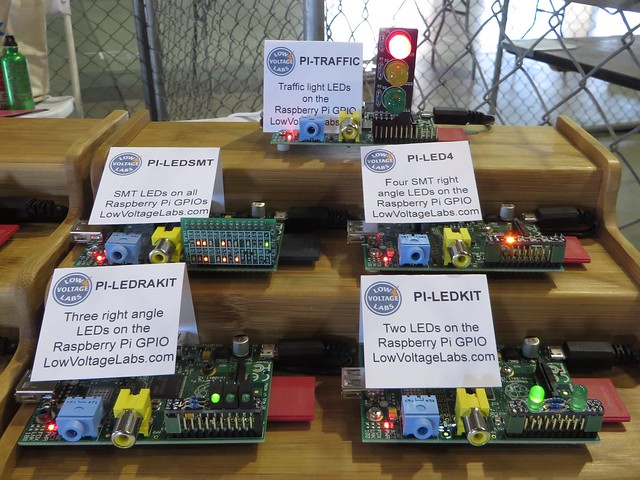
For the 2014 Bay Area Maker Faire I decided to display the Raspberry Pi add-on prototypes we currently have in development. We created a display for Maker Faire with the prototype cards running to get people’s feedback and help us decide what projects to put into production. The goals for these add-on cards are to be small, educational and inexpensive. These add-on cards will retail for prices ranging from $8 to $15.
We got great feedback at Maker Faire and plan to put a couple of the projects into production. But we would like to get even more feedback, so have a look at the projects below and let us know what you think of them. Which ones you like, which ones should go into production and if there is anything you would change.
PI-Traffic
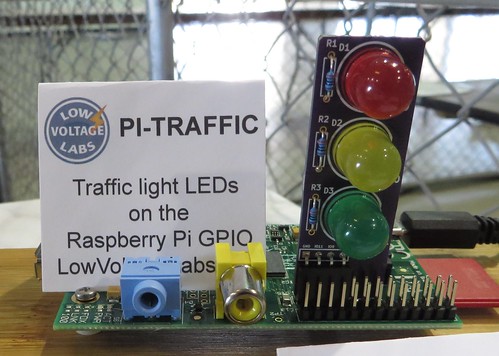
The Pi Traffic light is a vertical add-on card for the Raspberry Pi with three 10mm LEDs connected to the GPIO header. This add-on card could be sold as a kit or fully assembled. The LEDs are connected to GPIO pins GPIO9, GPIO10 and GPIO11.
PI-LEDSMT
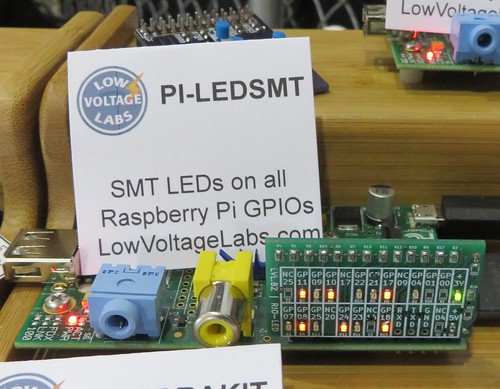
The PI-LEDSMT is a vertical add-on card for the Raspberry Pi that has LEDs on all of the GPIO pins of the GPIO header. This add-on card would be sold fully assembled. Using this add-on card allows the user to see all the activity on the GPIO pins.
PI-LED4
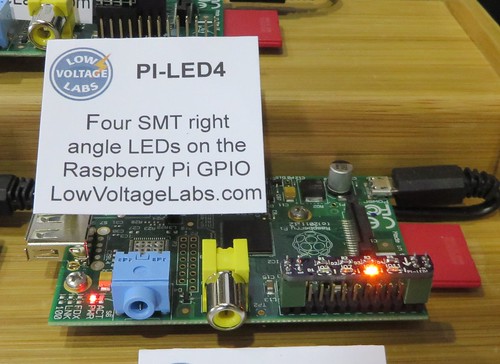
The PI-LED4 is an add-on card for the Raspberry Pi with four right angle surface mount LEDs connected to the GPIO pins on a horizontal PCB that fits over the GPIO header. This add-on card would be sold fully assembled. The four right angle surface mount LEDs are connected to GPIO pins GPIO02, GPIO07, GPIO08 and GPIO11.
PI-LEDRAKIT
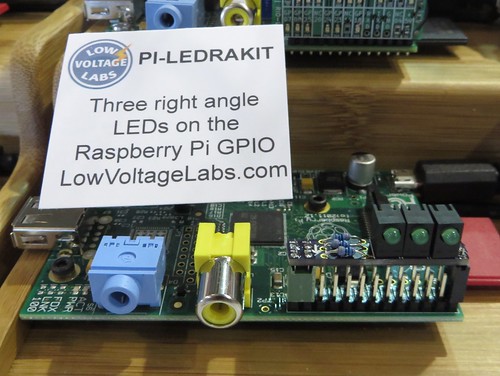
The PI-LEDRAKIT is an add-on card for the Raspberry Pi with three right angle through hole LEDs connected to the GPIO pins on a horizontal PCB that fits over the GPIO header. This add-on card uses all through hole parts and would be sold as a kit. The three right angle LEDs are connected to GPIO pins GPIO07, GPIO08 and GPIO11.
PI-LEDKIT
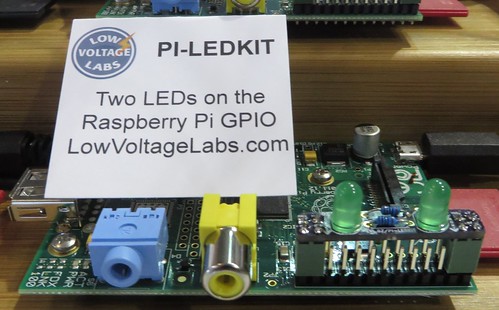
The PI-LEDKIT is an add-on card for the Raspberry Pi with two through hole LEDs connected to the GPIO pins on a horizontal PCB that fits over the GPIO header. This add-on card uses all through hole parts and would be sold as a kit. The two 5mm LEDs are connected to GPIO pins GPIO07 and GPIO08.
PI-BUTTON5
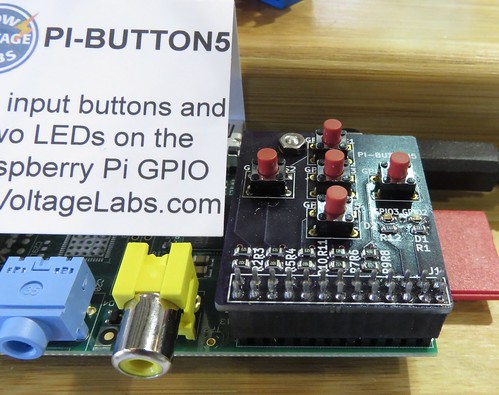
The PI-BUTTON5 is an add-on card for the Raspberry Pi with five input buttons and two output LEDs connected to the GPIO header. This add-on card would be sold fully assembled. The five input buttons are connected to GPIO07, GPIO08, GPIO09, GPIO10 and GPIO11. The two LEDs are connected to GPIO02 and GPIO03.
PI-IRKIT
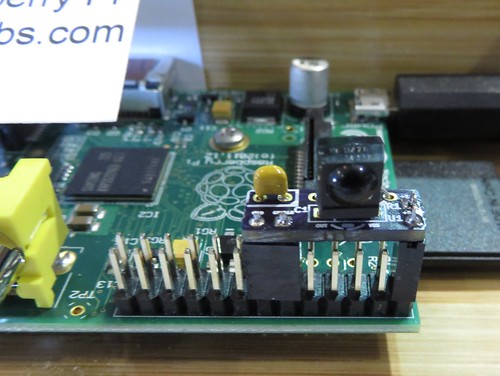
The PI-IRKIT is an add-on card for the Raspberry Pi with an IR receiver IC to enable the use of standard infrared remotes with the Raspberry Pi. This add-on card uses all through hole parts and would be sold as a kit and fits over just half the GPIO header pins. The IR receiver is connected to GPIO18 of the Raspberry Pi GPIO header.
PI-IRSMT
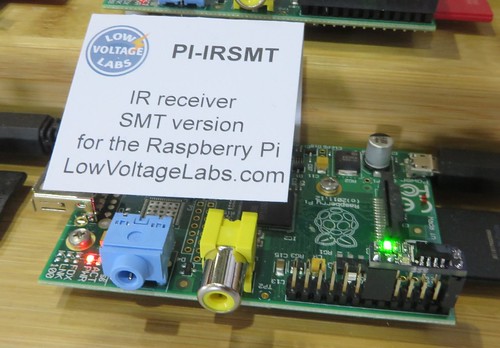
The PI-IRSMT is an add-on card for the Raspberry Pi with an IR receiver IC to enable the use of standard infrared remotes with the Raspberry Pi. This add-on card would be sold fully assembled and fits over just half the GPIO header pins. A surface mount LED is included on the card that flashes when there is activity on the IR input. The IR receiver is connected to GPIO18 of the Raspberry Pi GPIO header.
Please leave a comment below or send a tweet to @LowVoltageLabs.
Raspberry Pi GPIO pinout business card
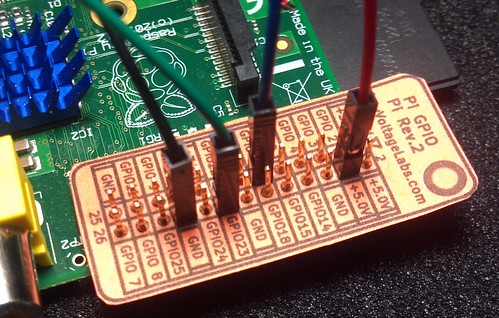
Inspired by the PAPERduino and looking for something new to add to the back of my business card. I created a business card sized cheat sheet for the Raspberry Pi GPIO pins.
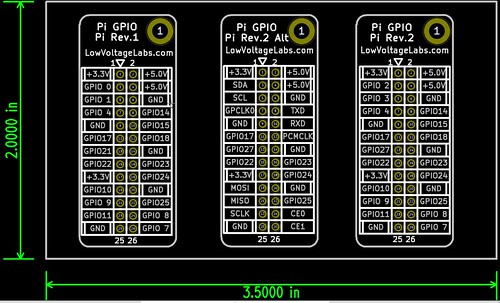
The card includes three versions of the Raspberry Pi GPIO pins:
- Raspberry Pi Rev 1 GPIO standard pin names
- Raspberry Pi Rev 2 GPIO alternate pin functions
- Raspberry Pi Rev 2 GPIO standard pin names
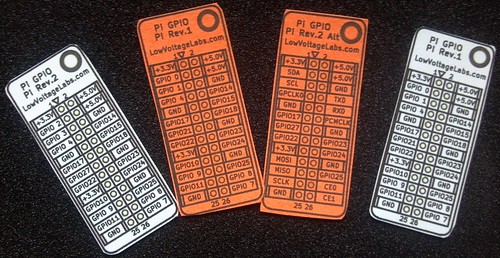
To make your own simply download the GPIO business card PDF and print it on paper or card stock. When printing the card be sure that the “Page Scaling” is set to “None” otherwise the size of the card may not match the Raspberry Pi GPIO pins. Punch out the GPIO pins with a push pin and cut out the reference card.
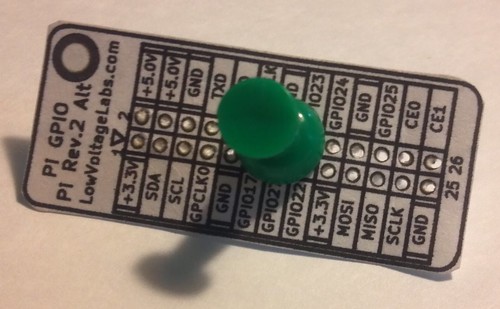
If you don’t want to print your own stop by and see me at the Bay Area Maker Faire May 17th and 18th, 2014. Where we will be giving out business cards and demonstrating new products at our booth located in the Raspberry Pi section of the Expo Hall.
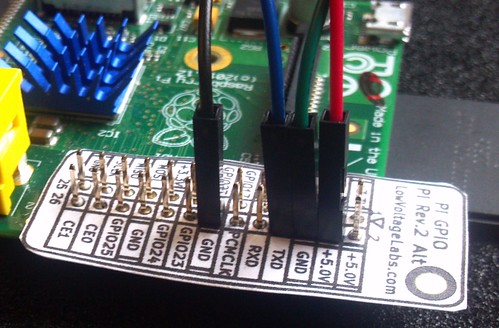
More photos of the business card on Flickr.
Would you like the same reference card as a PCB? Check out our Pi GPIO Reference Board.
2013 Seattle Mini Maker Faire Starts Tomorrow
 The 2013 Seattle Mini Maker Faire starts tomorrow at the Seattle Science Center. Low Voltage Labs will be demonstrating our Raspberry Pi Media Center.
We are located in booth #31, hope to see you there.
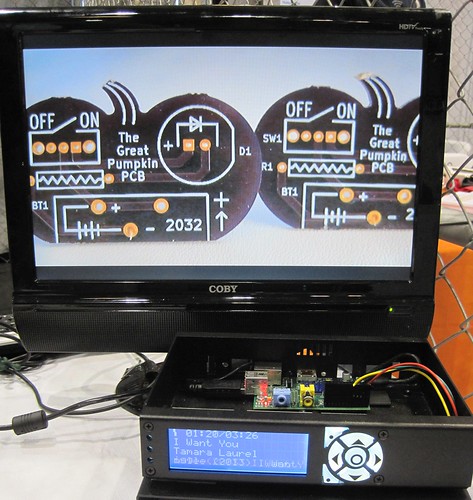
LinuxFest Northwest 2013 presentation
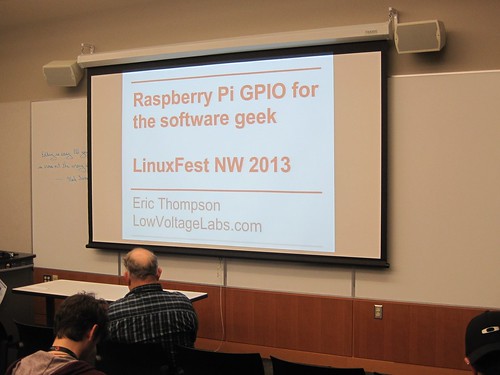
Thanks to everyone who attended my presentation at LinuxFest Northwest 2013 on Sunday. The presentation was an overview of how to connect your Raspberry Pi to the outside world using the GPIO.
Raspberry Pi GPIO for the software geek
You can download a PDF of the slides I used for the presentation from the LinuxFest Northwest site:
Raspberry Pi GPIO for the software geek PDF slides
Already looking forward to LinuxFest Northwest 2014!